


 Webshop
 Flat roof windows
 FlatLight Premium
 Rooflights
 SunTubes
 Roof windows
 Window frames and doors
 Sales & Service
 About us
 Brochures
- Customer service
- Terms and conditions
- Online retailers
- Installing a concrete roof opening and flat roof window
- Privacy Policy Intura Limited
- Your legal guarantee rights
- Disclaimer
Installation instructions for Intura roof windows and flat roof windows
Documentation & installation
Installation instructions
Quickly find the current installation instructions for your Intura product. Select the relevant product group and then the exact model.
All documents open as PDF files in a new tab.
Flat roof
Flat roof windows and roof access hatches
Installation information for fixed and electrically opening flat roof windows, walk-on versions, roof access hatches and renovation modules.
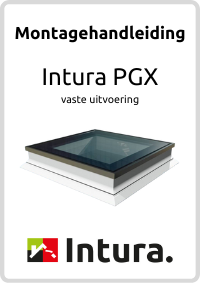
Flat roof windows
Intura PGX series
For fixed PGX flat roof windows in the available glazing options.
View instructions
Electric opening
Intura PGC IQ series
For PGC IQ A1, B1, A9 and B9 electrically opening flat roof windows.
View instructions
Roof access hatch
Intura PGM series
Installation instructions for manually opening PGM roof access hatches.
View instructions
Walk-on glass
Intura PGX A5
Installation instructions for the PGX A5 walk-on flat roof window.
View instructions
Renovation module
Intura DGP A1
For installing the glass renovation module on an existing kerb.
View instructionsDaylight tubes
Intura SunTube
Instructions for correctly installing the roof terminal, reflective tube and ceiling diffuser on a flat or pitched roof.

Flat roof
SunTube flat roof
Installation instructions for Intura SunTube daylight tubes on flat roofs.
View instructions
Pitched roof
SunTube pitched roof
Installation instructions for Intura SunTube daylight tubes on pitched roofs.
View instructionsBlinds
Pleated blinds for flat roof windows
Select the instructions that match the blind controls: battery powered, mains powered or manual.
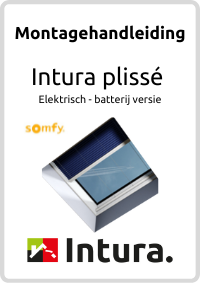
Battery-powered version
Electric pleated blind
Installation instructions for the battery-powered electric pleated blind.
View instructions
Mains-powered version
Electric pleated blind
Instructions for installing and connecting the electrically operated pleated blind.
View instructions
Manual operation
Manual pleated blind
Installation instructions for the manually operated pleated blind.
View instructionsPitched roof
Roof windows and accessories
Instructions for centre-pivot, top-hung and fixed roof windows, the compact Vista series and matching blinds.

Centre-pivot roof windows
Intura centre-pivot roof windows
Installation instructions for Intura centre-pivot roof windows in pitched roofs.
View instructions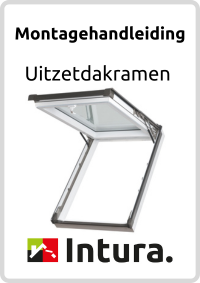
Top-hung roof windows
Intura top-hung roof windows
Installation instructions for Intura top-hung roof windows in pitched roofs.
View instructions
Small roof windows
Vista 4-tile and 6-tile
Installation instructions for the compact Intura Vista roof windows.
View instructions
Fixed roof window
Intura IGX F1
Installation instructions for the fixed Intura IGX F1 roof window.
View instructions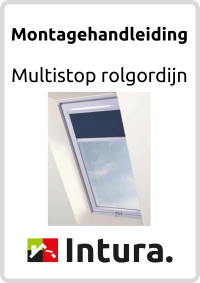
Blinds
MultiStop roller blind
Installation instructions for the MultiStop D37 roller blind for roof windows.
View instructions
Triple glazing
Intura Vista Triple
Installation instructions for the triple-glazed Intura Vista.
View instructionsImportant before starting
Always use the instructions for the exact product.
Products that look similar may differ in dimensions, connections, controls or fixings. Always check the model, size and version on the product label, packaging or order confirmation.
- Check the product code and version.
- Check the dimensions and required structural opening.
- Follow the specified fixing and connection details.
- If in doubt, contact us before installation.
Frequently asked questions
Help with the documentation
How do I identify the correct model?
Check the product code on the product label, packaging, invoice or order confirmation. Do not rely on dimensions alone, as different versions can have the same size.
Can I use instructions for a similar model?
No. Always use the instructions for the exact model and selected version. Connections, fixings or controls may differ.
My instructions are not listed. What should I do?
Contact Intura and provide the product code, dimensions and version. If possible, include a clear photograph of the product label.
Where do I report damage or a technical problem?
For a defect, malfunction or damage, use the Intura service form and include clear overview and detail photographs.
Installation question?
We are happy to help.
Have the product code and dimensions ready so we can provide targeted advice.
Need help? Contact us!
Call us
Available Mon–Fri, 9:00 AM–5:30 PM
Ask us anything
Social media
Socials
 Wij scoren een 4.5 op
 Intura B.V.
Ampèrestraat 15
3861 NC
Nijkerk View on Google Maps
BTW nummer: NL854817360B01
KvK nummer: 62436120
Bankrelatie ING Bank: NL47INGB0006764730
